
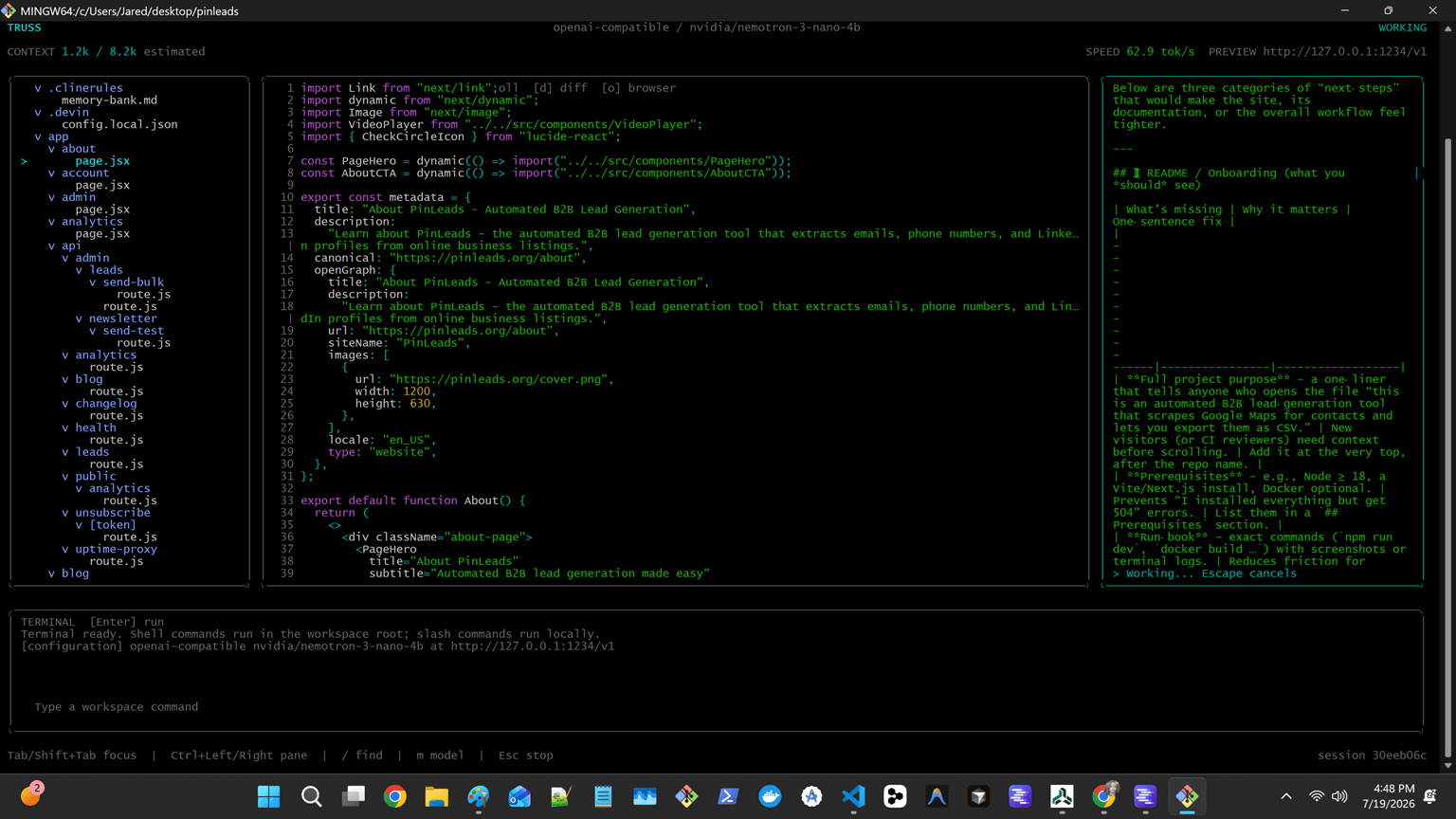
Four focused panes
Move between files, editor, agent, and terminal panes without breaking the flow of an investigation.
Truss Terminal UI
Keep files, Git diffs, agent chat, tool approvals, and shell output together in a keyboard-first workspace.
What it is for
Move between files, editor, agent, and terminal panes without breaking the flow of an investigation.
Inspect Git diffs and approve or deny model-requested tools in the same workspace.
Search files, open model settings, run workspace commands, and interrupt generation without touching a mouse.
Get started
Requires Node.js 20 or newer and shares the CLI's local-model profiles and workspace state.
$ npm install -g @truss-harness/tui
$ truss-tuiA typical flow
Launch truss-tui from the repository you want to work in.
Select a detected local endpoint and model if no profile is already configured.
Attach files, inspect diffs, approve tools, and keep the terminal close to the agent loop.